Add Success!
Successfully added to shopping cart

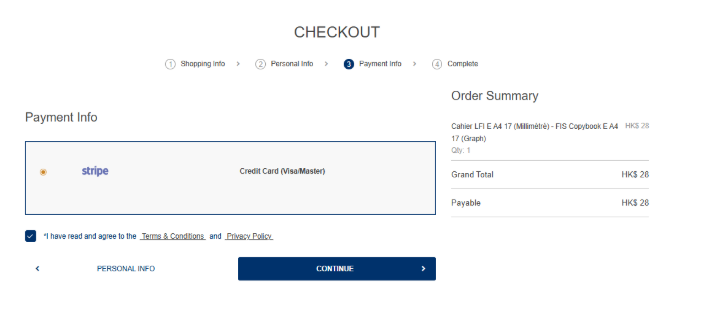
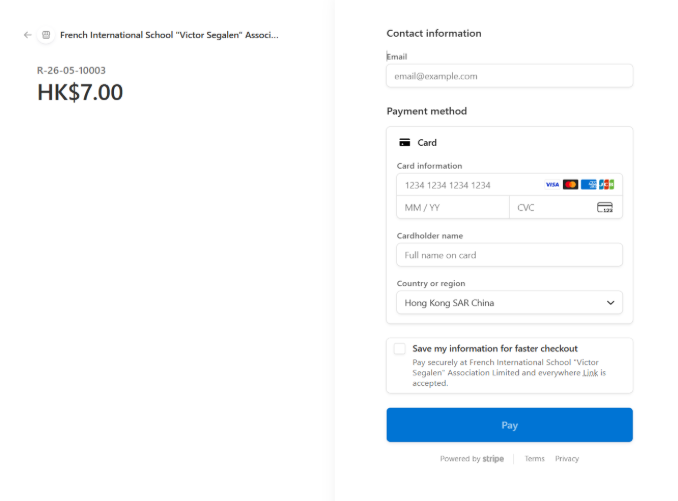
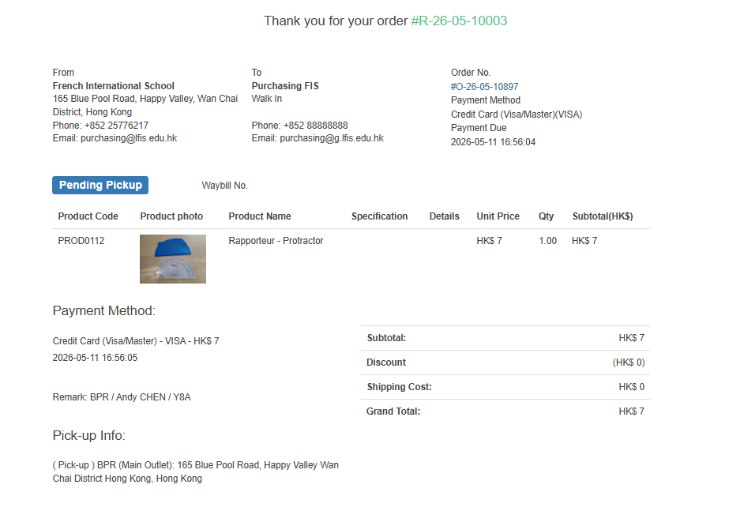
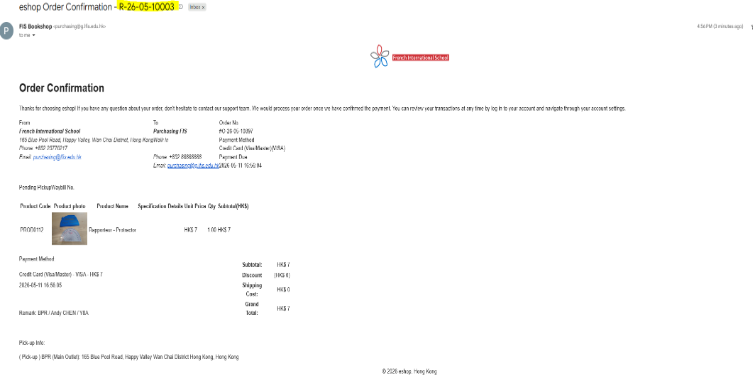
Step 1: Browse eshop.fis.edu.hk and add items to shopping cart


Our Campuses
Blue Pool Road Campus
165 Blue Pool Road
Happy Valley, Hong Kong
[View Map]
Chai Wan Campus
1 Cheung Man Road
Chai Wan, Hong Kong
[View Map]
Jardine’s Lookout Campus
34 Price Road
Jardine’s Lookout, Hong Kong
[View Map]
Tseung Kwan O Campus
28 Tong Yin Street
Tseung Kwan O, Hong Kong
[View Map]
If you have any questions, please send email at purchasing@g.lfis.edu.hk.
Copyright, French International School “Victor Segalen” Association Limited. All Rights Reserved.